Changelog

Every improvement, big or small — shipped transparently.

Version 1.4

5 January 2026

Fair pricing for your universal calendar layer

After talking with our early users, we realized our pricing was a bit "heavy" for a utility tool. We want Viewday to be an easy addition to your workflow, not a major budget decision. Today, we’re pivoting to a micro-utility model that puts our earliest supporters first.

Pricing Updates

  • The $3.50 Pro Tier: We’ve lowered the cost of Pro to about the price of a coffee. Get unlimited accounts, Agenda views, and zero branding for a fraction of the original cost.
  • Founder’s Deal (Lifetime): To thank our earliest supporters, we are releasing 50 Lifetime seats. Pay once ($39), own the Viewday calendar layer forever. No subscriptions, ever.
  • 7-Day Automatic Pro Trial: Every new user now gets 7 days of Pro features (including Agenda view and no branding) automatically - no credit card required. Experience the full power of Viewday before you decide to upgrade.

Refinements

  • Streamlined Pro Features: We’ve simplified the Pro plan to focus on what matters most: unlimited multi-account merging and white-label aesthetics.

Version 1.3

1 January 2026

A new year, a new vision

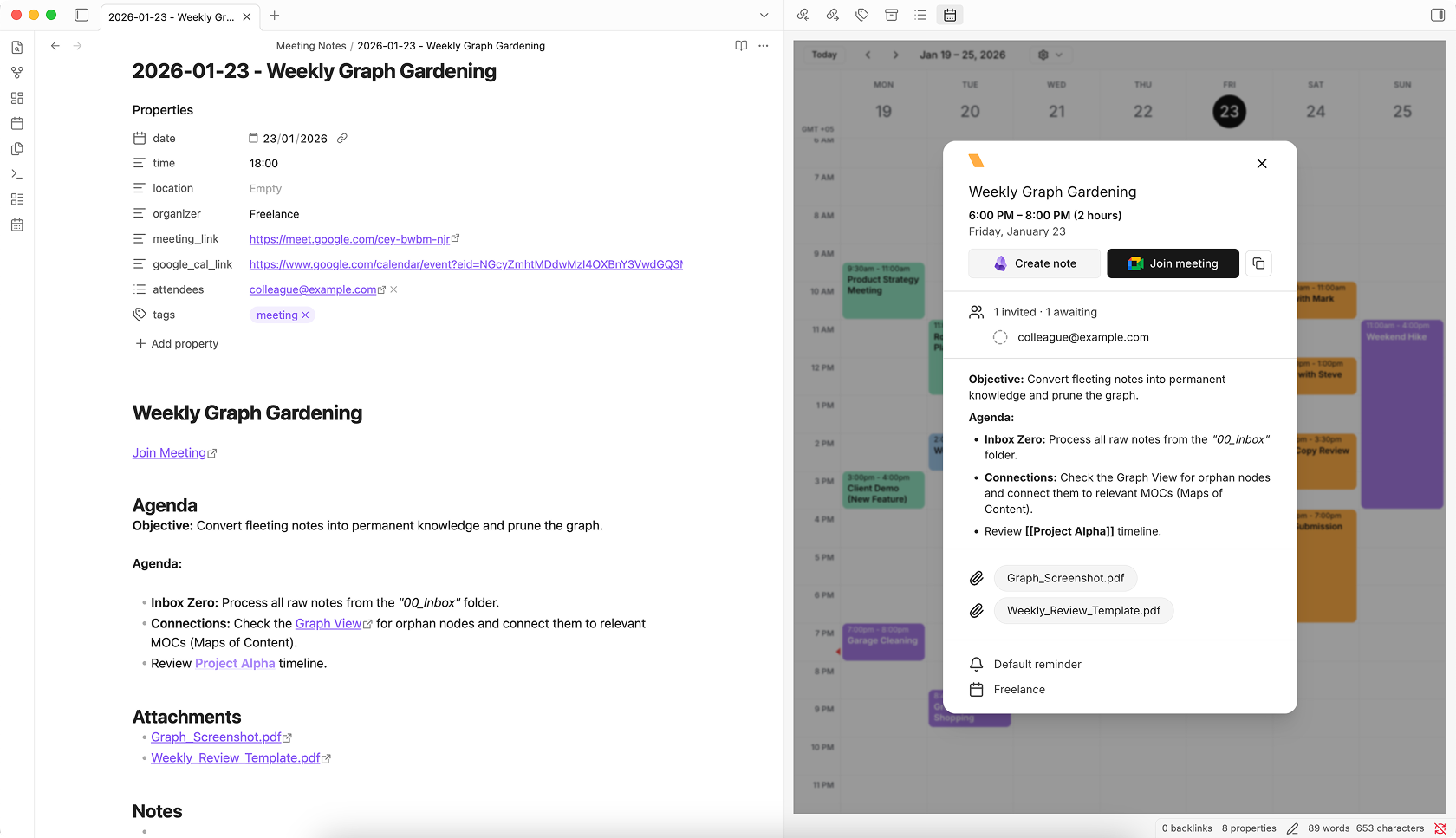
We are starting 2026 by evolving Viewday from a "Notion widget" into the universal calendar layer for your entire productivity stack. Our vision is simple: your unified schedule should live exactly where you work - whether that’s in your favorite productivity tools, your daily notes, or a dedicated browser tab.

Features

  • Official Obsidian Plugin (Coming Soon): We have submitted our official plugin for review. Soon, you will be able to use Viewday natively inside your vault - supporting dark mode, sidebar layouts, and instant syncing without ever leaving your daily notes.
  • Redesigned Website: We’ve refreshed our home page to reflect our new multi-platform mission, with dedicated hubs to help you get started on Notion, Obsidian, or the Web.
  • Enhanced Widget Security: We have upgraded all Widget IDs from 8 to 12 characters. This increase in entropy ensures even tighter security for your private calendar embeds.
  • Standalone Web Mode: You can now launch your calendar directly in the browser as a distraction-free "second screen" dashboard.
  • Updated Privacy & Terms: We’ve updated our legal documents to reflect our tool-agnostic approach, ensuring your data remains private and protected regardless of which platform you use.
  • One more thing...: Keep an eye on your inbox. We are cooking up a special update for our Pro and Team plans that we think you’re going to love (and your wallet will too).

Version 1.2

13 October 2025

Faster loads, lighter background activity

We tuned how Viewday keeps your embeds up to date so they feel just as instant, while being lighter and smoother behind the scenes.

Optimizations

  • Snappier calendar loading: Events appear faster when opening or switching views.
  • Real‑time stays real‑time: Changes from Google Calendar still land in Notion instantly.
  • Smoother browsing: Less background chatter means fewer spikes and a more stable experience.
  • Battery/data friendly: Reduced background work helps keep things efficient.
  • Better on mobile: The calendar widget adapts more cleanly to small screens - tighter spacing, clearer titles, and streamlined controls for easier tapping.
  • Interactive live demo: Try Viewday directly on our site - switch layouts and themes without signing up. Check out the live demo.

Version 1.1

29 September 2025

Agenda layout + Team plan waitlist

This update introduces the Agenda layout and opens the waitlist for the upcoming Team plan.

Features

  • Agenda layout: A compact, readable list view of upcoming events, ideal for daily planning.
  • Team plan waitlist: Teams can now request early access. Join the waitlist.

Version 1.0

15 September 2025

We are live 🎉

Viewday is available to everyone. Create real-time Google Calendar embeds for your Notion pages with a beautiful, customizable experience.

Features

  • Real-time sync: Events update instantly inside your Notion pages - no refresh required.
  • Multiple calendars in one view: Merge calendars from one or more Google accounts into a single, unified embed.
  • Private & secure: OAuth-based, read-only access with encrypted transport. Your calendars remain private.
  • Month, week, and day layouts: Choose the view that fits your workflow.
  • Dashboard: Connect multiple Google accounts, manage widgets, and monitor sync health.
  • Plans: Free, Pro, and Pro+ are available today.
  • Light & dark themes: Match your widget to your Notion pages.
  • Calendar color customization: Fine-tune calendar event colors for visual clarity.

Have an idea or request? We’d love to hear it - Request a feature.